/zhy0ognwxs6hcnr0il7wx9t2g8kj)
/7ayozdifqhjo1r1l2vp53py0wvf9)
Content
Every campaign team knows the drill: voter coordination lists in one spreadsheet, donor management info in another, volunteers tracked by email or text threads. Then come the missed follow-ups, duplicate calls, and lost notes that cost time (and sometimes votes).
A political CRM fixes that. It brings your voter outreach, fundraising, and volunteer coordination into one place, so you no longer have to switch between 5 different tools to figure out who’s been contacted or who still needs a call.
Unlike generic business CRMs, political platforms are built for how campaigns actually work: managing voter relations, tracking donations, and coordinating field teams. So, the best CRM for political campaigns isn’t just a database, it’s your campaign’s command center.
What is a political CRM?
A political CRM is software designed to help campaigns manage relationships with voters, donors, and volunteers in a single platform.
Unlike business CRMs that focus on sales, political CRMs handle what campaigns actually do: organize people, track actions, and build follow-up systems that turn support into votes.
Every interaction, donation, rally RSVP, and volunteer shift is saved in one supporter profile. This gives teams a complete picture of each person’s engagement and helps them plan smarter outreach.
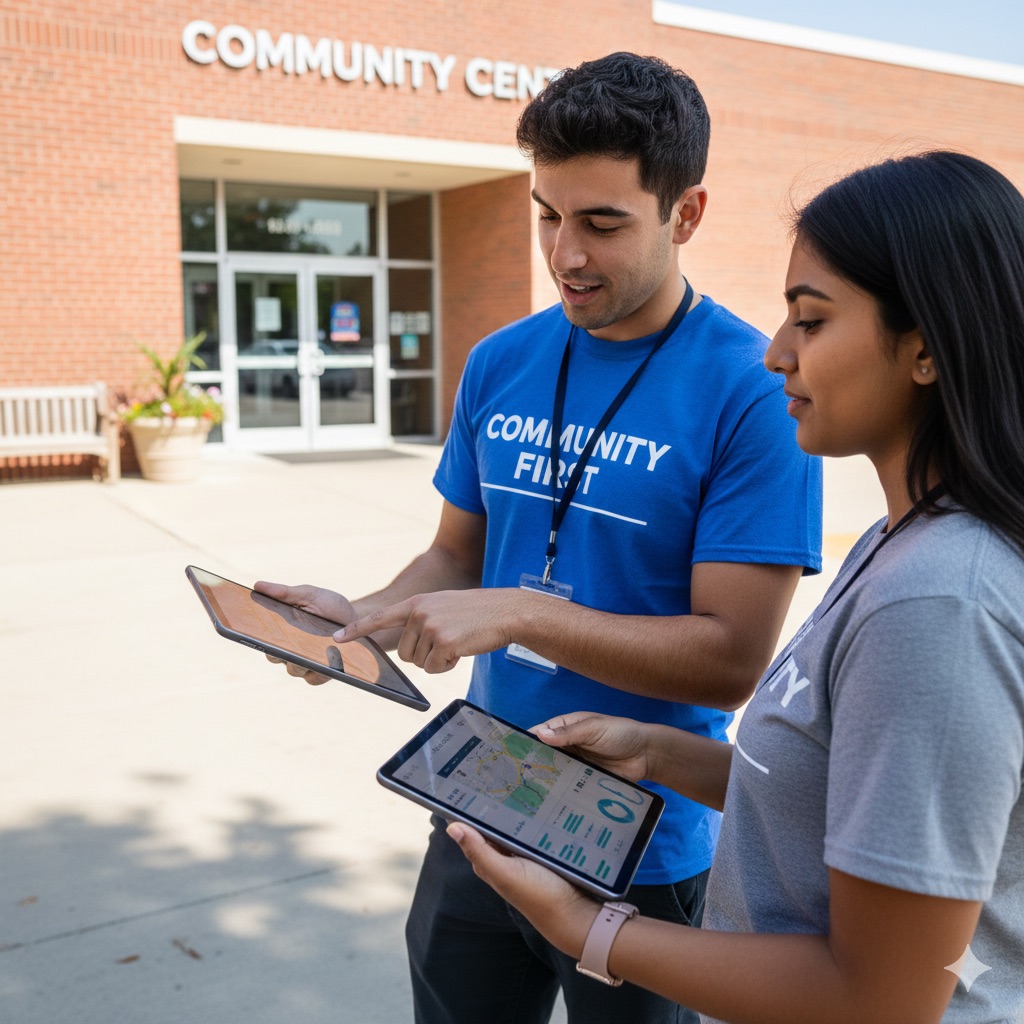
Access adjusts by role:
Phonebank volunteers see call lists, scripts, or event details.
Campaign managers monitor turnout, fundraising, and field progress.
Finance staff track donations and reporting compliance.
Political CRMs also integrate with voter databases, email tools, and payment processors, so staff can send targeted messages, update voter files, and process contributions without having to jump between platforms.
Why political campaigns use specialized CRM software
Generic business CRMs don’t fit how campaigns work. Sales teams track customers; campaigns organize voters, volunteers, and donors under strict deadlines and reporting rules. That’s why political campaigns use specialized CRM software built for their unique needs.
Here’s what makes it different:
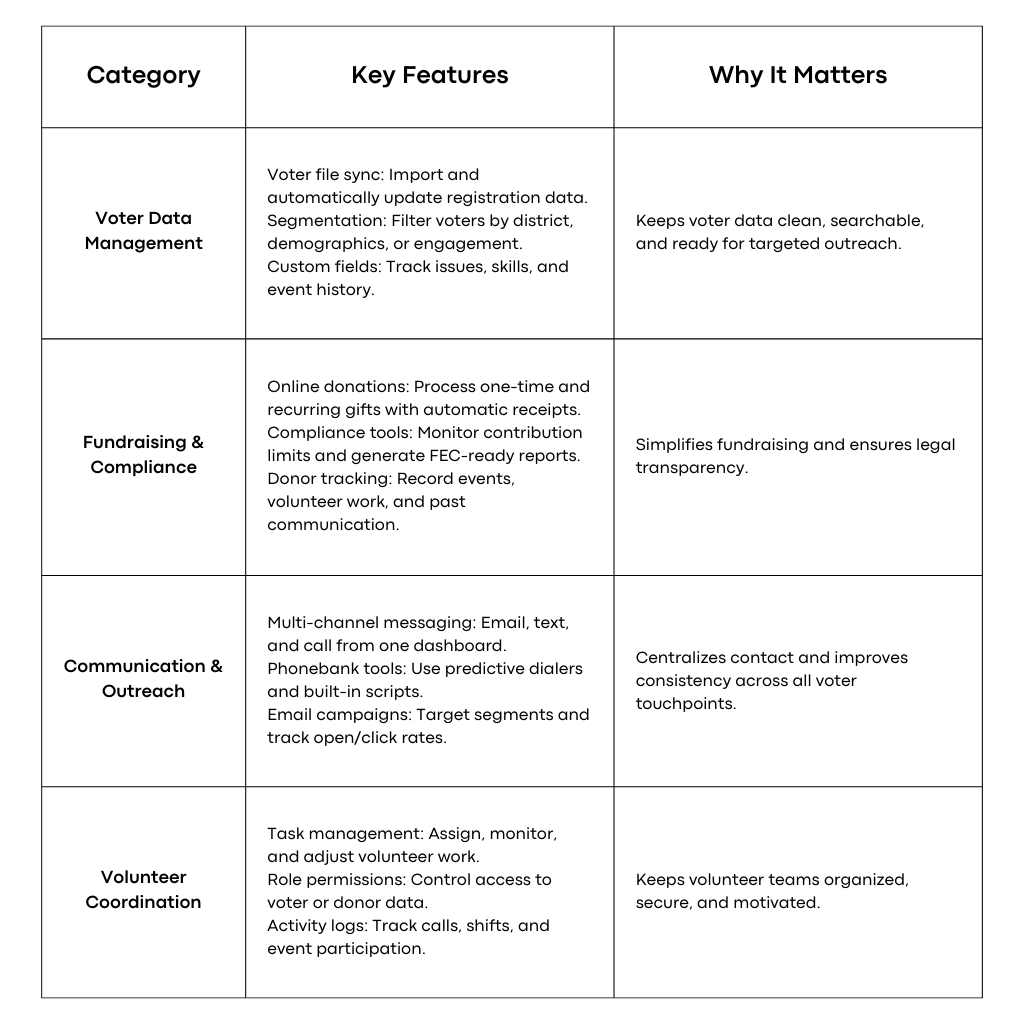
Voter File Integration: Campaigns rely on voter databases that include voting history, party affiliation, and district data. Business CRMs can’t handle that structure. Political CRMs import, segment, and update voter files seamlessly, so outreach targets the right people every time.
Compliance Tracking: Campaign finance laws demand detailed donation records, including donor occupation, employer, and contribution limits. The FEC reviews more than 50,000 financial reports each year, so accuracy matters. Political CRMs automatically track these details and generate ready-to-file compliance reports.
Volunteer Management: Volunteers are the engine of every campaign, but their schedules vary. Political CRMs manage permissions, assignments, and activity logs across field teams, helping organizers know who’s active and where support is needed most.
Event Coordination: From rallies to fundraisers, political events require coordination: RSVPs, capacity limits, follow-ups. CRM event tools track attendance, manage logistics, and sync attendees into voter or donor lists for future outreach.
Multi-Channel Communication: Campaigns don’t just send emails. They call, text, and knock on doors. Political CRMs consolidate all interactions into a single supporter profile, making it easy to see who was contacted, how, and when.
In short, business CRMs track customers. Political CRMs build movements.
Essential Features For Political Campaign CRM Success
How to Select Political CRM Software
Choosing the right CRM starts with understanding what your campaign needs. Every campaign’s priorities differ depending on its size, structure, and tech capacity. Here’s how to make a smart choice:
Assess Your Data Needs
Before you compare platforms, take stock of what you already have and what needs to connect.
Map your data: List all voter files, donor records, and volunteer lists you currently use. Note their formats and the amount of data that needs to be migrated.
Check integrations: Identify the tools you already rely on (email platforms, fundraising apps, and social media tools) and ensure the CRM can connect with them.
Review compliance needs: Legal reporting varies by level of race (federal, state, local). Confirm that the CRM supports your specific reporting requirements.
Evaluate Technical Capabilities
Your CRM has to fit your workflow, not the other way around.
User access: Know how many staff and volunteers will need logins. Some CRMs charge per user, while others offer unlimited accounts.
Mobile access: Field organizers should be able to update voter contact results, event notes, or volunteer sign-ups directly from their phones.
Data security: Confirm that the platform encrypts sensitive data, has secure logins, and runs regular backups. Campaign data is highly sensitive; treat it that way.
Look for Real Support
A powerful system is only helpful if your team can actually use it.
Training resources: Look for clear tutorials and live support so staff can learn quickly without needing an IT background.
Data migration help: Moving old data can get messy. Ask if the vendor offers professional migration assistance to prevent errors or data loss.
Ongoing support: Campaigns don’t run on office hours. Make sure the vendor provides evening and weekend support during peak periods.
How Solidarity Tech Supports Political Campaign Operations
Solidarity Tech gives political campaigns a single system for everything: outreach, volunteer management, events, and reporting.
It’s built for movement building and voter engagement, combining CRM power with communication and organizing tools that save time and keep teams aligned.
Unified supporter profiles: Every voter, donor, or volunteer interaction (calls, texts, donations, event attendance) is automatically logged in one timeline. No more digging through spreadsheets or notes. Staff can see a person’s full engagement history instantly and plan the next step without extra data entry.
Multi-channel communication: Connect with supporters via phone banking, peer-to-peer texting, and email, all from the same platform. The built-in predictive dialer connects volunteers only when someone answers, and every message uses your campaign’s dedicated phone number for a consistent identity. All conversations are logged automatically to supporter profiles for easy follow-up.
Event coordination: Plan and manage everything from town halls to volunteer trainings in one place. Create events, track RSVPs, and send automated reminders. For virtual sessions, the system manages calendar invites and Zoom links. Attendance data syncs directly with supporter profiles for accurate follow-up.
Volunteer management: Assign roles and permissions so everyone has access to the tools they need and nothing they don’t. Phonebank volunteers see call lists and scripts, while campaign managers access reports and performance data. You can also organize volunteers into specific teams or initiatives for better coordination.
Campaign reporting: Track what’s working in real time. The reporting dashboard shows calls made, texts sent, events organized, and volunteer activity. Compare results across time periods, spot trends, and recognize top-performing team members.
Engagement and leadership tracking: Set custom engagement scales to track how supporters grow, from first contact to active volunteer or team lead. These insights help you identify and develop future leaders for long-term organizing.
Transparent pricing: Solidarity Tech uses fair, organizing-friendly pricing with unlimited user access. There are no per-seat fees limiting volunteer participation; every team member can log in and contribute freely.
Building Effective Campaign Data Systems
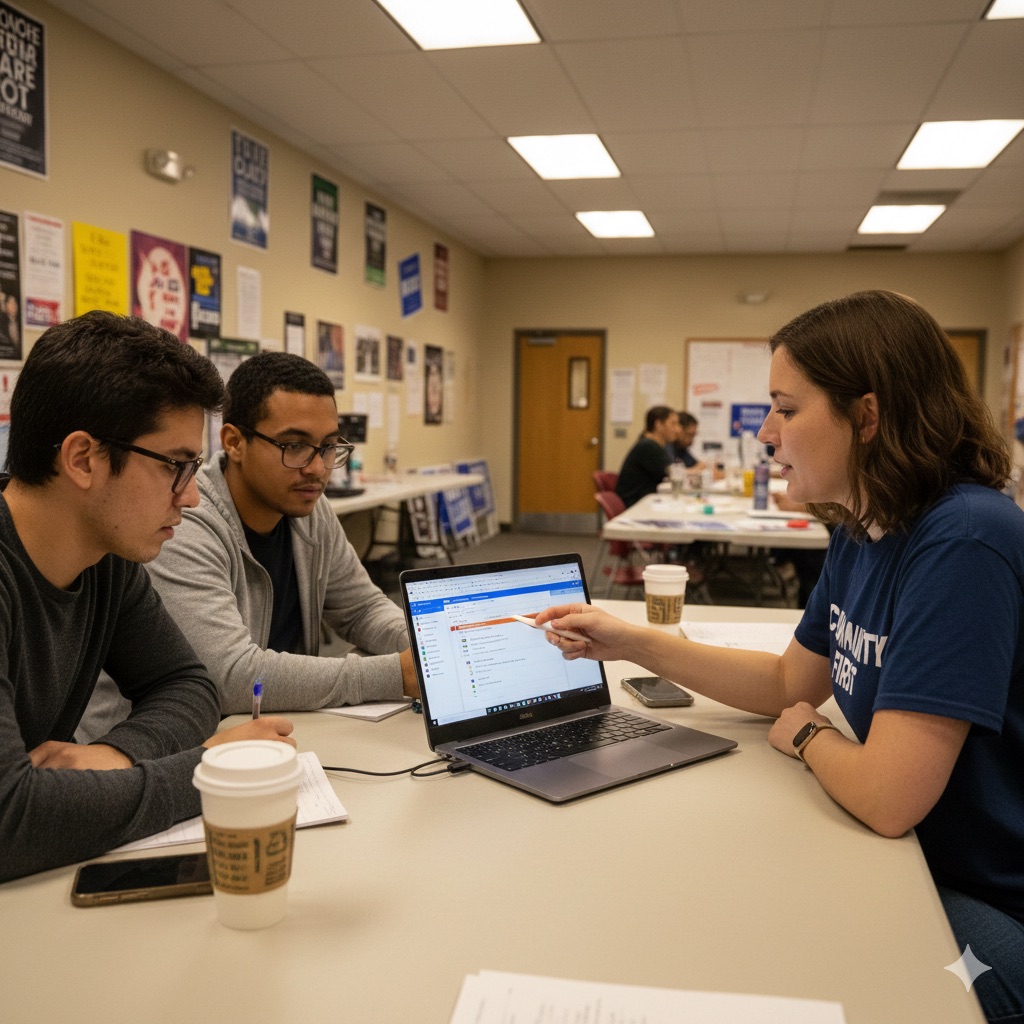
Every winning campaign runs on clean, connected data. When voter contact info, fundraising records, and volunteer activity live in one system, your team can act fast and stay coordinated.
Start building that structure early, before you’re buried in spreadsheets and missed follow-ups. Early setup gives your team more time to focus on people, not paperwork.
Smaller tools might work for the first hundred contacts, but they break once real momentum starts. As your campaign scales, disconnected systems slow down decisions and blur communication. Integrated CRMs keep everyone aligned while you focus on outreach that actually moves votes.
A strong campaign CRM turns raw data into strategy:
Volunteers see a voter’s full history before making a call.
Fundraisers spot potential major donors based on engagement patterns.
Field organizers know who always shows up and who needs a reminder.
These systems matter most when everything’s on the line. In the final 10 weeks before Election Day, when campaigns spend roughly 75% of their ad budgets, clean, integrated data becomes your edge. Accurate targeting sharpens messaging, automation saves staff hours, and every voter contact becomes more personal and effective.
Frequently Asked Questions about Political CRM Software
Campaign managers often have similar concerns when evaluating CRM options for their political operations. These answers address common questions about implementation, security, costs, and functionality.
How long does political CRM implementation typically take for campaigns?
Most political CRM platforms can be operational within one to two weeks, depending on your existing data organization and team preparation. Campaigns with clean voter files and organized donor lists often complete basic setup in 3-5 days. More complex implementations involving multiple data sources or extensive volunteer training may require 2-3 weeks to fully deploy.
What security protections exist for sensitive campaign information?
Political CRMs safeguard campaign data through end-to-end encryption, role-based access controls, and regular security audits. Most maintain SOC 2 compliance and automatic data backups to prevent loss. Two-factor authentication adds an additional layer, ensuring only verified users can access sensitive voter, donor, or volunteer information.
Can political CRM software handle campaign finance compliance reporting?
Yes, specialized political CRM platforms automatically track required donor information, including occupation, employer, and contribution amounts. They monitor contribution limits and flag donations approaching legal thresholds. The systems generate FEC reports in required formats and maintain detailed audit trails for all financial activities, simplifying compliance obligations for campaign staff.
Do campaigns need technical expertise to operate CRM software effectively?
No. Modern political CRMs are built for non-technical users with simple, point-and-click interfaces. Staff and volunteers can make calls, send emails, and update records without coding or IT support. Most platforms include built-in tutorials, onboarding guides, and live support to help teams get up and running fast.
How much do political CRM solutions typically cost for local campaigns?
Political CRM pricing varies based on supporter database size, communication volume, and feature requirements. Entry-level plans for local campaigns typically start at $29-50 per month for basic CRM functionality. Mid-tier plans ranging from $99-299 monthly usually include phonebanking tools, email marketing, and event management features suitable for managing campaigns of 1,000-10,000 supporters.
read more
Explore More Political Campaign Insights
From voter mobilization to digital outreach and field organizing, explore proven strategies and tools to run winning political campaigns.
/ns612877itsmnnmfz3wxwonf7y7m)
What is Voter Mobilization and How to Build Winning Campaigns
/lgorx0zg9baxl019xgsynkd7svgb)
Voter Engagement Strategies to Turn Supporters Into Voters
/n0rnom7oktd7hrig4jvlcwspof89)
How to Run a Political Campaign and Build Winning Coalitions
/9a8aqq0tyx2oy1wmb6db3414q2st)
What is Political P2P Texting? Key Insights for Campaigns
/p9xn70m10v7clsqndhg54gv7spz2)
Political Technology Examples and Effective Campaign Tools
/36wljckiygrc05xe2a5ntc3hjvph)
How to Build Political Campaign Websites That Win Support
/0ii0ebt1dbsvoz34virn3j19u8jj)
How to Use Political Outreach for Stronger Campaign Engagement
/aop3xijui1z59b4r05sg16e2tl16)
What is Political Phone Banking? How Campaigns Build Power