
Share Story
Share your Story pages allow supporters to submit video testimony in support of your campaign goals. Submitted videos will appear in a scrollable video carousel at the top of the Page, and supporters can upload their own videos by completing the form.
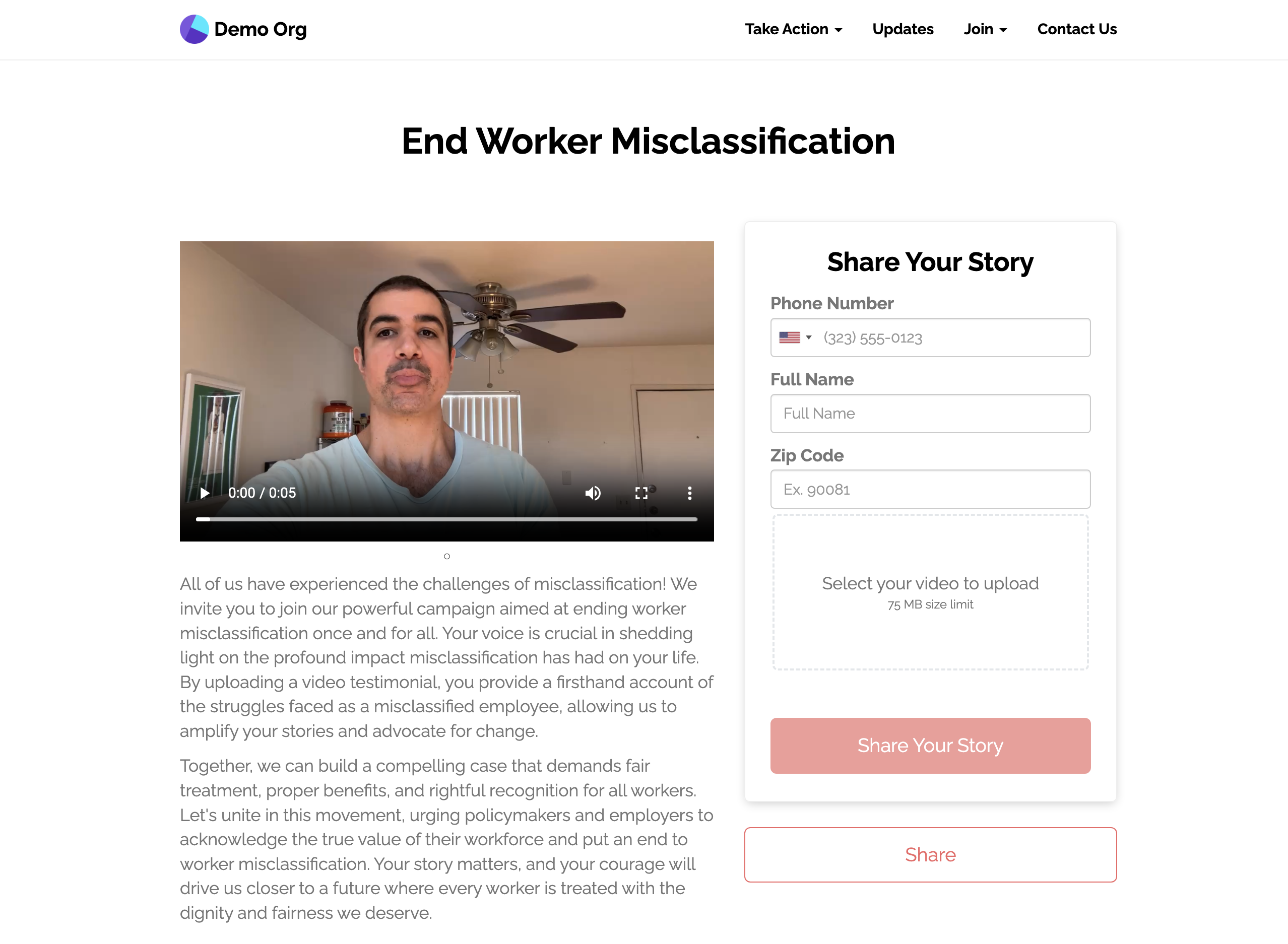
Example Share Your Story page
Moderation
Share your Story pages can be unmoderated or moderated by Team Members. Moderated pages will require that a Team Member approve of a video before it appears in the carousel. To view videos awaiting moderation, open the page's 'Results' tab, then the 'Moderate Submissions' sub-tab. Click 'Approve' or 'Reject' for each video.
Download videos
For every video's link in one file, open 'Results', then 'Individual Responses', and click 'Export'.
Updated 29 days ago
Did this page help you?