
Reporting
The Reporting sidebar tab contains a variety of tools to give you both high-level and deeply detailed overviews of your Organization's & Team Member's performance.
The Activity Overview section gives you a high-level view of all organizational activity. The Team Activity section breaks down your Team Member activity, and the Assessment Changes section shows how your supporters move between assessment statuses. Lastly, the Graphs section lets you view custom graphs of organizational activity with the ability to export the data.
All Reporting tools are included in the most basic "Essentials" plan, except for Graphs, which requires at least the "Standard" plan.
Assessment Changes
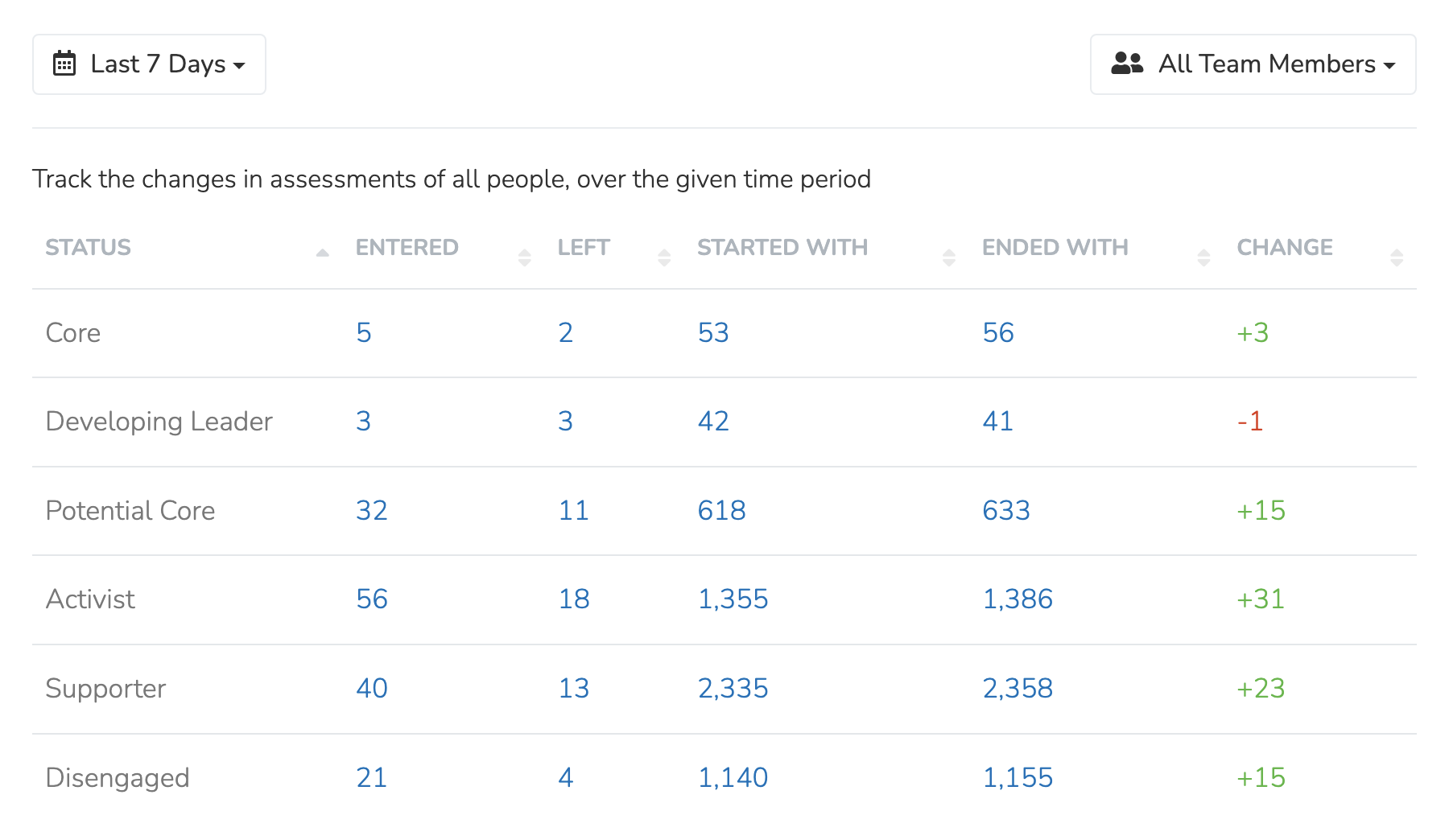
The Assessment Changes section tracks the movement of assessments across your Organization. 'Entered' counts the moves into an assessment status during the period. 'Left' counts the moves out of that status during the period. Click a table cell to view all People that match it.
Updated 18 days ago