
Page Results
The Results tab in your Pages allows you to analyze and export the all the Pages on your Website. Certain Page types - like Call Legislator, Share Story, Group Montage - will have additional tabs to analyze the results that are specific to those page types.
All Pages with Forms will include the "Individual Responses" tab where you can see all the responses submitted by People and filter by submission date and export
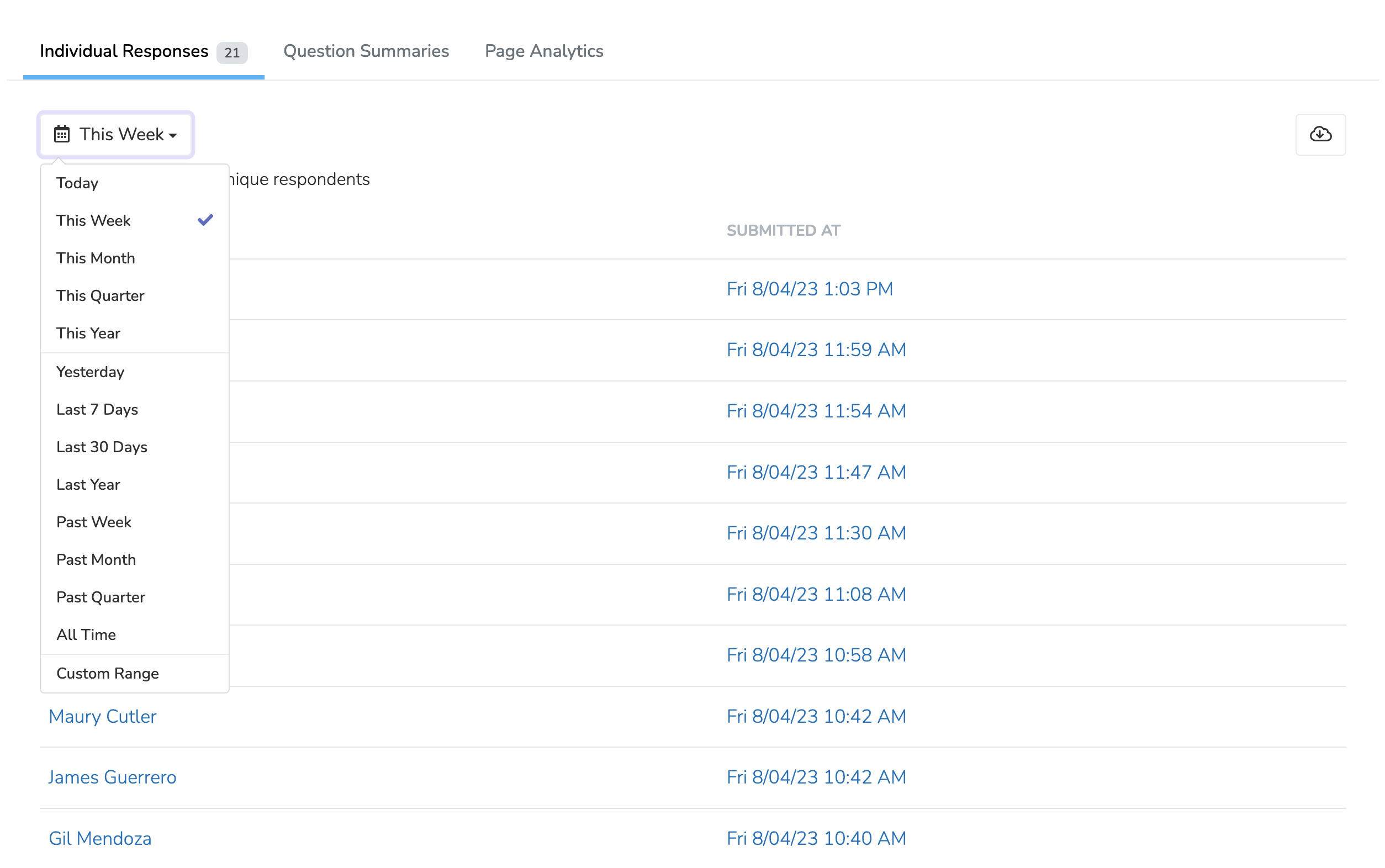
Clicking any of the individual submissions allows you to see all the data submitted by that Person.
Export data
You have the option to export your Form submissions either as JSON or CSV data formats. All data submitted with the form, including metadata like IP, and user id will be included in the data export.
Import data
You can import CSV data directly into any Page with a Form. Upload a CSV file and map columns to user fields (name, email, phone, address) or form fields. The system auto-maps common column names like "email", "phone_number", "first_name", etc.
Import options include:
- Trigger page automations: Runs post-submission automations (disabled for past events)
- Trigger universal automations: Fires global automations for imported results
Imported users are tracked with source "import" for reporting purposes.
When an import completes, you will receive a notification summarizing the results. If any rows could not be imported or produced warnings (for example, a form field value that could not be matched to a valid option), the notification will describe the number of errors and warnings. You can download an errors CSV from the Results page, which includes the original row data with an "Error message" column prepended so you can identify and correct any problematic rows before re-importing them.
Question summaries
Question summaries section gives you a brief overview of the responses that came in for each question in your Form. This section is especially useful if you're using a Basic Form Page to conduct a survey. In addition to a summary of each question with a link to see all responses to that question, it will provide mean, median, and mode answers for any numerical questions.
Page Analytics
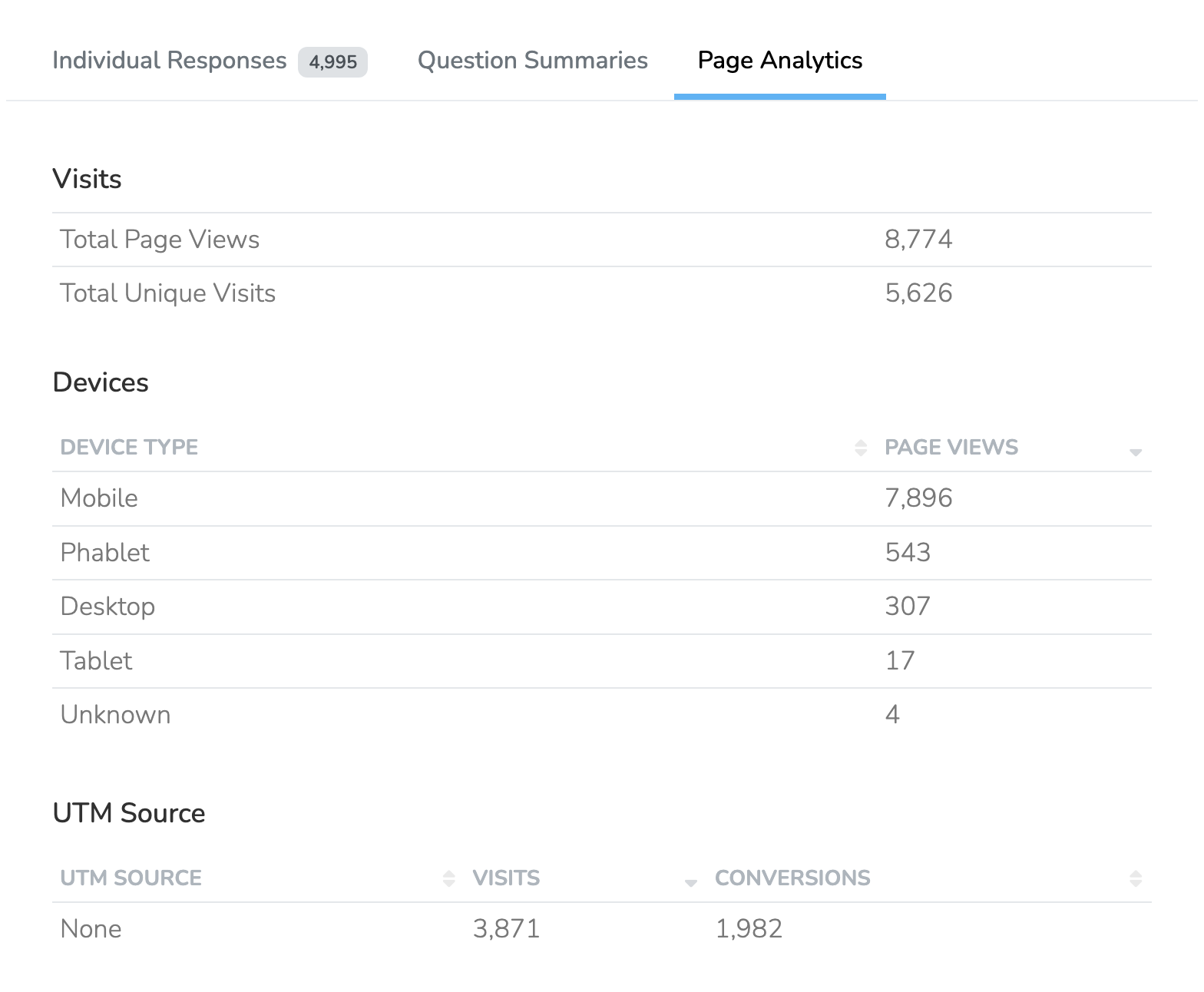
All the analytics options
Updated 7 days ago