
Phonebanks
Phonebanks help your Team Members streamline the calling a list of People. Phonebanks are created from the dashboard, and completed by assigned Team Members via the "Workflows" tab in the mobile app.
For product overview, see Phonebanking Software.
When a supporter calls back the Chapter Phone Number after missing your call, and the call goes directly to voicemail (because call routing is set to voicemail or no routing recipient is found), they are automatically re-added to the queue to be dialed again. There are three distinct types of phonebanks, and it usually makes sense to use one over the others, depending on the circumstances. This section aims to help you understand the three types so you can make an informed decision based on your goals.
Phonebank types
One-to-one
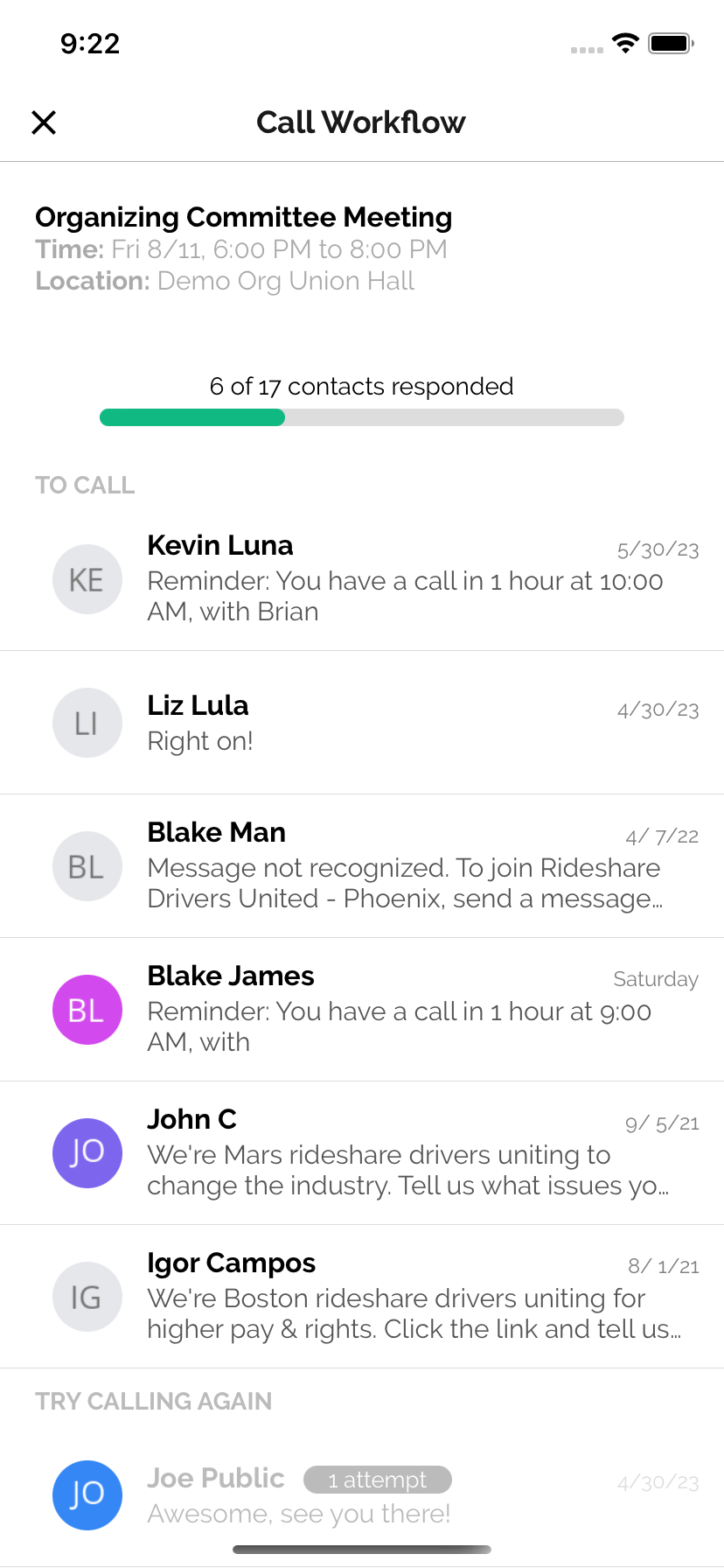
A one-to-one phonebank should be used when you want specific Team Members to call specific targets, and you want to make sure to get an answer from everyone you call (usually a yes or no response to an event invitation). This phonebank will create a call workflow consisting of a list of targeted supporters, dynamically sorted into multiple sections (To call, Try calling again, Got Answer). This structure makes it easy to call people multiple times if they don't pick up initially.
It's usually advised for Team Members to simply call the next Person at the top of their call workflow list, until they have received an answer from everyone. Once a contact has RSVP'd to the event (as a yes, no, or maybe), they will be moved to the bottom of the lists. Contacts who return your call after initially missing it, will be moved back to the top of the list to call again. Tags on each Person in the list will inform Team Members of how many times they've been called during the workflow, and how they RSVP'd
Power dialer
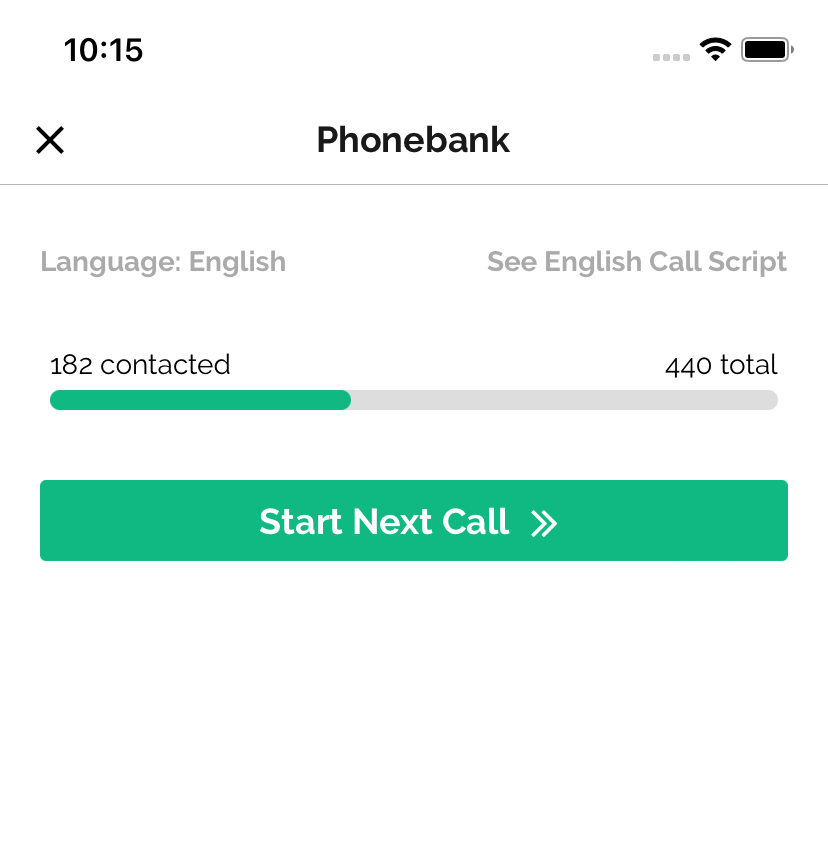
The anyone "power dialer" helps Team Members quickly call through a list of supporters. Team Members will simply open up their app "workflow" tab and tap a "Start next call" button to be connected with the next supporter on the list. Once they tap the button they will be taken to the next Person on the call list's call screen and begin to hear the dial tone. Use this phonebank type when you want to call a large list of supporters, and it doesn't matter which of your Team Members connects with each of your supporters.
Power dialer from the browser
Team Members can also join a power dialer session directly from their browser, using their computer's microphone and speakers — no phone call to their personal number required.
To join:
- Navigate to My Workflows in the dashboard sidebar (or open the phonebank and click Join Phone Bank in the header)
- Click Start Calling on the entrance page
- Allow microphone access when prompted
- The dashboard automatically opens the next contact's profile and begins dialing
Preview mode: If the phonebank is configured with "Preview Contact Before Calling," you will see the contact's profile before the call is placed. Click Start Call to dial, or Skip to move to the next contact.
Wrap-up dispositions: After each call ends, a wrap-up bar appears at the top of the page. Before moving to the next contact, you can:
- Toggle No Answer if the contact did not pick up
- Toggle Left Message if you left a voicemail
- Click Schedule Callback to re-queue the contact at a specific future time
- Use the overflow menu to Report a Bad Number or Opt Out the contact from calls and texts
- Click Start Next Call to advance to the next contact, or Redial to call the same contact again
To send a text mid-call, click the Send Text button that appears when connected. You can use any configured text templates.
Important: Keep the browser tab open while participating. Closing or navigating away will end your session.
Predictive dialer
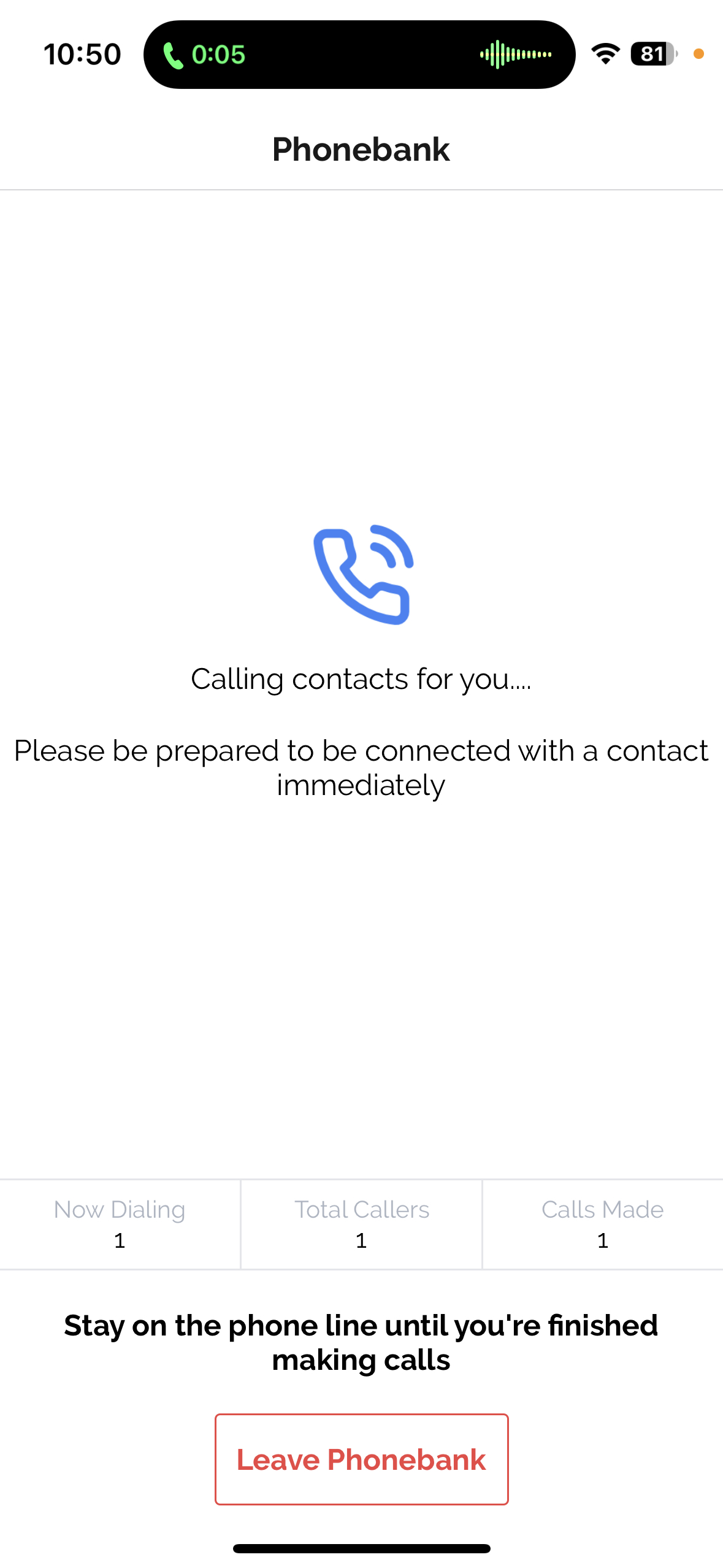
The anyone "predictive dialer" helps a group of Team Members efficiently call a large list of targeted supporters. To see a full explanation for how the predictive dialer works, visit its documentation page.
This type of phone bank has many advantages. First, it allows you to call through a large list of People most efficiently, because multiple calls can be made for each Team Member at the same time. Also, because Team Members aren't spending so much time listening to a dial tone and arriving at voicemails, it's good for Team Member morale. The predictive dialer only dials more than 1 Person per waiting Team Member when you have 3+ Team Members calling at the same time - so you must have a group of Team Members active at the same time to experience the efficiency gains.
Phonebank Script
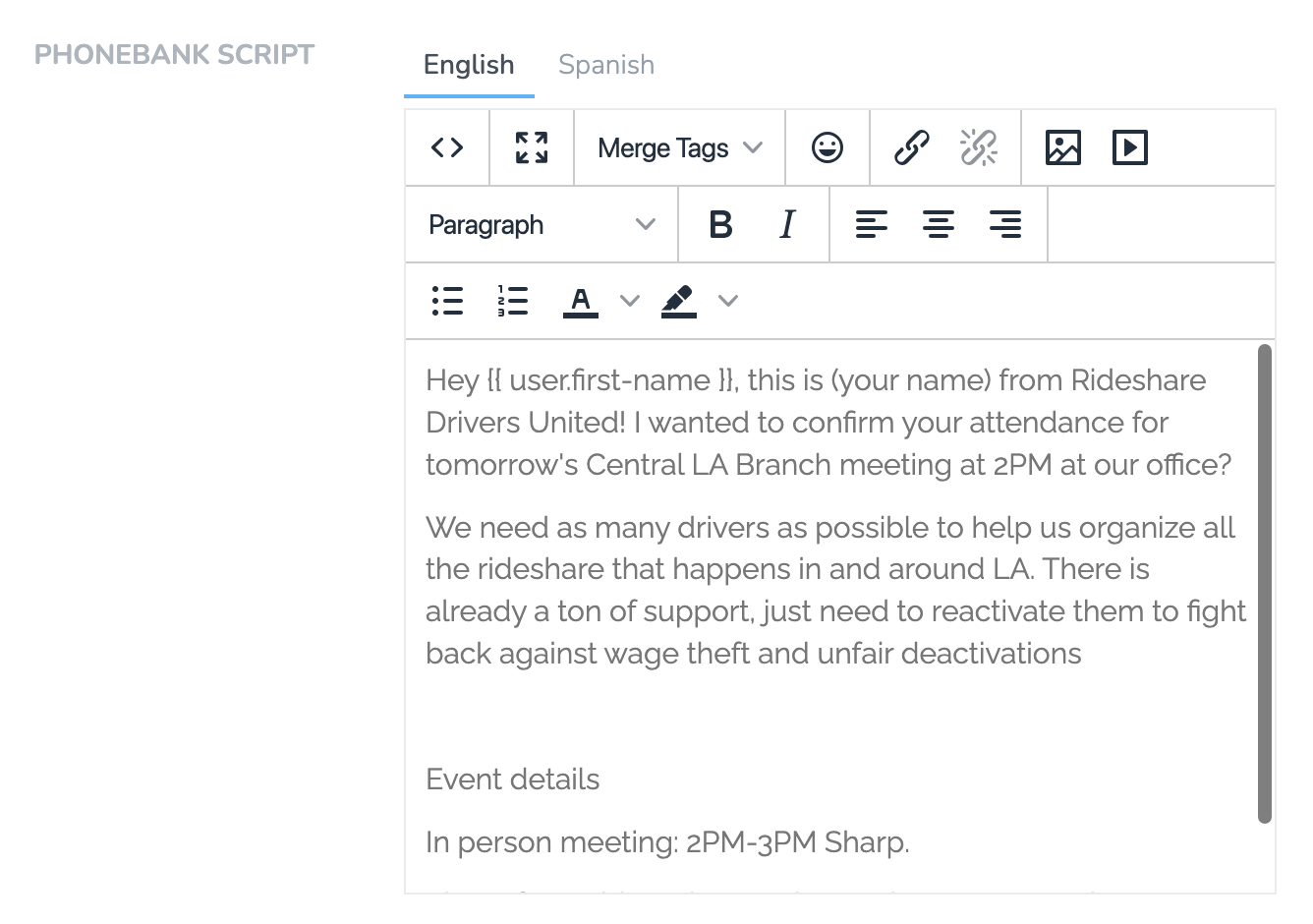
Every phonebank can have a script that appears on the caller's screen during calls. Scripts support multiple languages - the right language shows automatically based on each contact's preferred language setting.
AI Script Builder
The AI Script Builder generates professional phonebank scripts based on proven organizing methodologies. You don't need to be an experienced organizer to create an effective script.
How It Works
-
Select your Call Goal from the dropdown:
- Event RSVP (initial invitations or confirmations)
- Petition Signature
- Pledge/Card Signing
- Action Commitment
- Donation (one-time or recurring)
- Get-Out-The-Vote
- Candidate Support
- Issue Advocacy
- Or enter a custom goal
-
Provide context:
- Campaign Description - What's the campaign about? What are you fighting for?
- Action Request - The specific thing you're asking people to do
- Urgency Factor - Why does acting now matter?
-
Click Generate. The AI builds a conversational script structured around organizing best practices.
What You Get
The generated script isn't a rigid word-for-word read. It's a flexible guide with:
- Introduction - How to open the call naturally and grab attention
- Conversation prompts - Questions to draw out the person's experiences and concerns
- Talking points - How to connect their concerns to collective action
- The ask - How to make a clear, direct request
- Response handling - Guidance for yes, no, and maybe responses
For event-related goals, the script includes specific instructions like "a maybe is essentially a soft no" and how to push gently for firm commitments.
Editing the Script
The generated script is a starting point. You can edit everything - add your own language, remove sections that don't fit, adjust the tone. The script editor supports rich text formatting.
Writing Scripts Manually
You can also write scripts from scratch or bypass the AI entirely. Use Merge Tags to personalize:
{{ user.first-name }}- Contact's first name{{ agent.first-name }}- Caller's first name
Scripts show in the mobile app during calls. Team Members can scroll through while talking.
Magic Links for Volunteer Onboarding
Need to onboard volunteers quickly for a phonebank? Use Magic Links - a special signup URL that lets anyone join your phonebank without you manually adding them.
How It Works
- Open your phonebank and go to the Team tab
- Look for "Magic Link" and click to expand
- Copy the
sldr.itlink that appears - Share this link with volunteers (via text, email, Slack, printed flyer, etc.)
When someone opens the magic link:
- They enter their name, email, and phone number
- They're automatically added as a Person in your database
- They're added as a Team Member with Volunteer role
- They're assigned as an Agent on that specific phonebank
This is perfect for last-minute phonebanks where you don't have time to add everyone manually. Share the link at an event, in a group chat, or on a printed QR code at your phone bank location.
Tip: Generate a QR code from your magic link and display it on a screen when volunteers arrive. They scan, sign up, and they're ready to call within minutes.
Field Surveys (Branching Scripts & Data Collection)
Field Surveys let callers submit a Page Form on behalf of a contact directly from the call screen or the contact's profile in the mobile app. They're how you build branching scripts, run data cleanup, and complete on-call forms (petitions, pledges, RSVPs, sign-ups) while on the phone.
Because Field Surveys are used far beyond phonebanks (profiles, textbanks, canvassing, and the mobile app), they have their own dedicated guide. See Field Surveys for full setup instructions, branching script examples, and data cleanup walkthroughs.
Tip: Combine the static Phonebank Script (which appears at the top of the call screen) with a Field Survey for the interactive portion. Use the static script for the opening and closing, and the Field Survey for the dynamic, branching middle section.
Call Screen Layout
Admins can customize what sections are visible to team members during calls in the mobile app. From the phonebank's Settings tab in the dashboard, scroll to the call screen layout section. You can add, remove, and reorder the following sections:
- Assessment Level - Change the contact's assessment
- Field Surveys - Access interactive forms and branching scripts
- Events - RSVP the contact to events during the call
- Text Templates - Send a follow-up text from the call screen
- Scheduled Tasks / Follow-Up - Schedule a follow-up task
- Custom Properties - View and edit custom fields
You can also limit which events and field surveys are visible to callers for a specific phonebank, so team members only see what's relevant to the campaign.
Automated Follow-Ups (Predictive Dialer)
Predictive dialer phonebanks support automated follow-ups for unanswered calls, configured from the Automations tab:
- Voicemail Drop: Upload an audio file that will automatically play when a call reaches an answering machine, instead of requiring the caller to leave a message manually.
- Send Text Message: Send an automatic text message to contacts whose calls go unanswered. You can set a delay (minutes, hours, or days) before the text is sent.
Updated 26 days ago