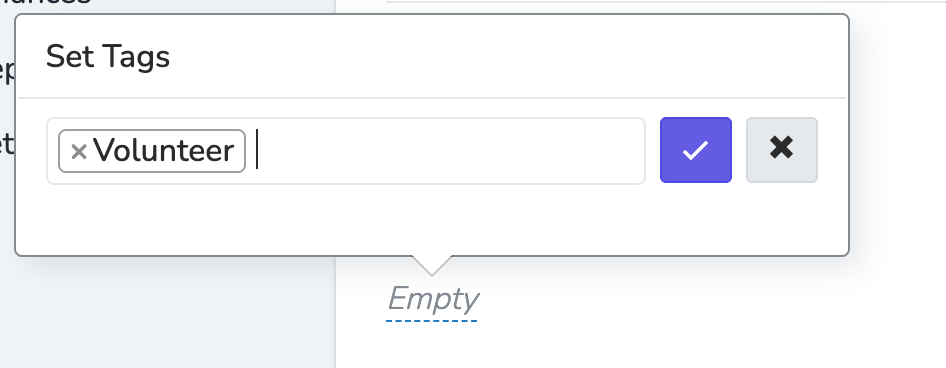
Tags

Tags are simple attributes that can be attached to a Person. They're useful for quick, informal labeling.

💡

Consider Custom Properties Instead

For most use cases, Custom User Properties are a better choice than tags:

  • More structured - dropdown, checkbox, and radio options keep data consistent
  • Easier to update - change an option once and it updates everywhere
  • Form integration - custom properties can be collected via forms and attached to submissions
  • Scopeable - can be limited to specific chapters

Tags work well for temporary labels or one-off tracking, but custom properties are better for anything you'll filter or report on regularly.


How Tags Work

When a Team Member creates a new tag, it immediately appears in the tag dropdown for all People in your Organization. Tags are universal across your whole Organization and can't be scoped to a specific Chapter.

📘

Permission Required

Creating new tags requires the "Add New Tags" permission. This permission controls tag creation for both people tags and Event Tags. Team Members without this permission can still select from existing tags but cannot create new ones.

To avoid duplicates, always check if a tag already exists before creating a new one.


Adding and Removing Tags

You can manage tags:

Tags are automatically deleted when no contacts in your Organization have that tag.


Why Do Deleted Tags Still Appear?

If you removed a tag from all contacts but it still appears in the tag dropdown, it means at least one Person in your Organization still has that tag. This can happen when:

  • Contacts in other chapters still have the tag. Tags are organization-wide, so you need to remove the tag from all People across every chapter, not just the one you're viewing.
  • Deleted/merged contacts had the tag at the time they were removed. If a Person record was deleted while still carrying the tag, the tag may persist in the system briefly.

To clean up a tag you no longer need:

  1. Use a People Filter to find everyone who still has the tag: filter by Tag includes [tag name]
  2. Select all results and use Bulk Update to remove the tag
  3. Once no People have the tag, it will automatically disappear from the dropdown

There is no way to manually delete a tag name from the dropdown. The only way to remove it is to ensure zero People have it assigned.


Tag vs. Event Tag vs. Campaign Tag

TypeWhere it's usedScope
People TagsAttached to Person recordsOrganization-wide
Event TagsAttached to Events for categorization and filteringOrganization-wide
Campaign TagsAttached to Events, Pages, Phonebanks, Textbanks, Email Blasts, and Text BlastsOrganization-wide

People Tags and Event Tags share the same "Add New Tags" permission. Campaign Tags can be created by typing a new value into the Campaign Tag field on any supported resource.