
Scheduled Calls
A scheduled call program lets your supporters book a call with an available Team Member at a convenient time, for example to onboard them or to get them active in a campaign.
The Team Member starts the call. Team Members with permission to do scheduled calls set their availability in the 'Availability' screen of the mobile app. Complete all scheduled calls with the mobile app or the dashboard, except calls from a Zoom scheduled call page.
You can view these tools under 'Voice' > 'Scheduled Calls' in the sidebar. The page needs the 'View Scheduled Calls' or 'Manage Scheduled Calls' permission. Supporters book calls on a Schedule A Call Page (Standard plan or higher), which holds the reminders, team member assignment, and call scripts.
Running a Scheduled Call Program: For a guide on recruiting volunteers, training callers, managing the program, and generating calls, see How to Run a Scheduled Call Program.
Calendar
The 'Calendar' tab shows one month of calls booked with people in the chapter or organization you are logged in to. Each dot is a call, and each color is a Team Member. A dot with a black ring is a call that the Team Member missed.
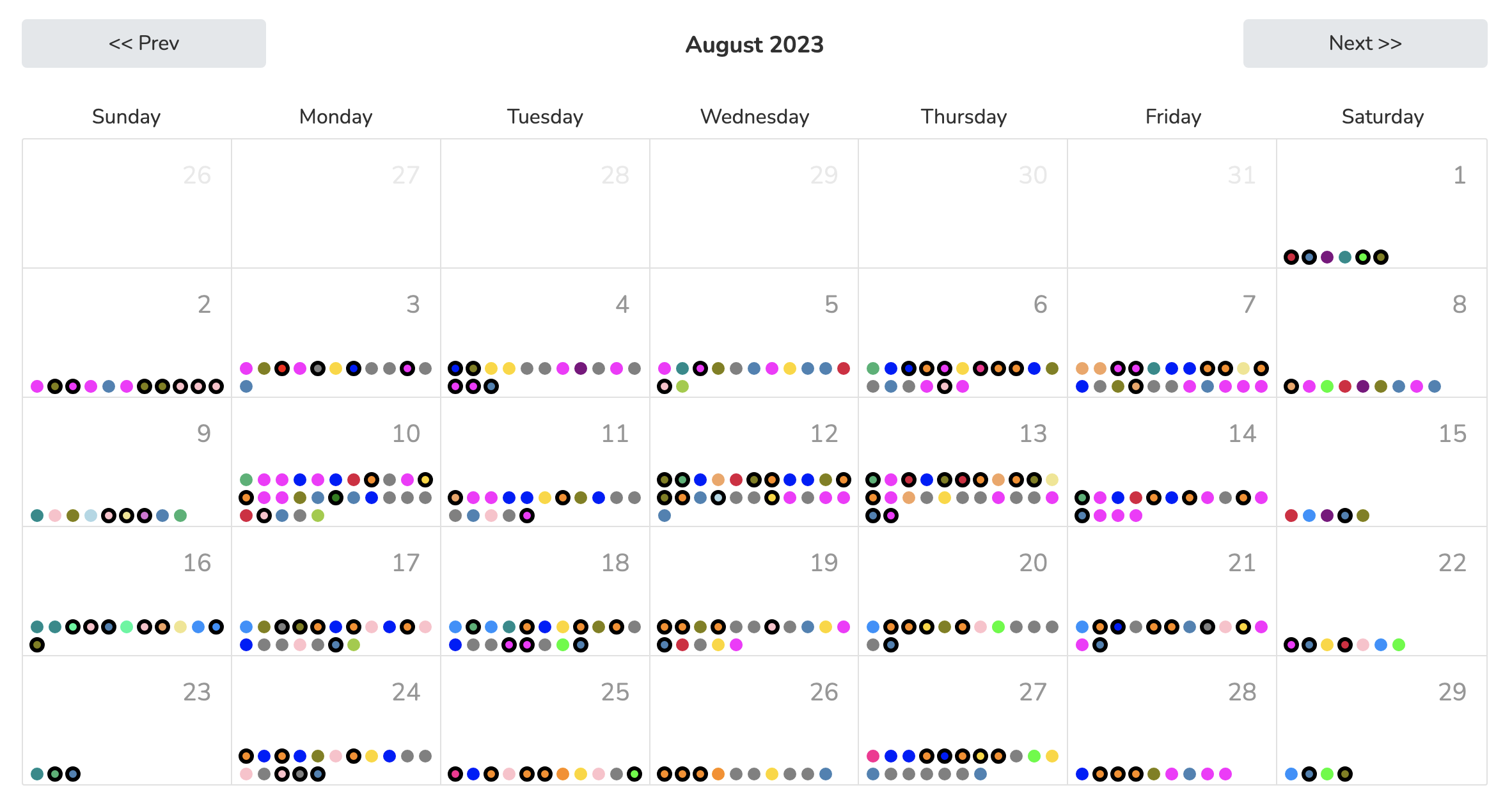
Click a dot to view the call details. From there you can re-assign the call to a different Team Member, or cancel it if the Person who scheduled it asks.
Callers
The 'Callers' tab lists the Team Members who can accept scheduled calls. Turn off Active Caller to stop new bookings with a Team Member. Calls already booked stay. The toggle needs the 'Manage Scheduled Calls' permission. In Trained By, pick the Team Member who trained the caller. The trainer gets a text when the caller misses a scheduled call.
Coverage Graph
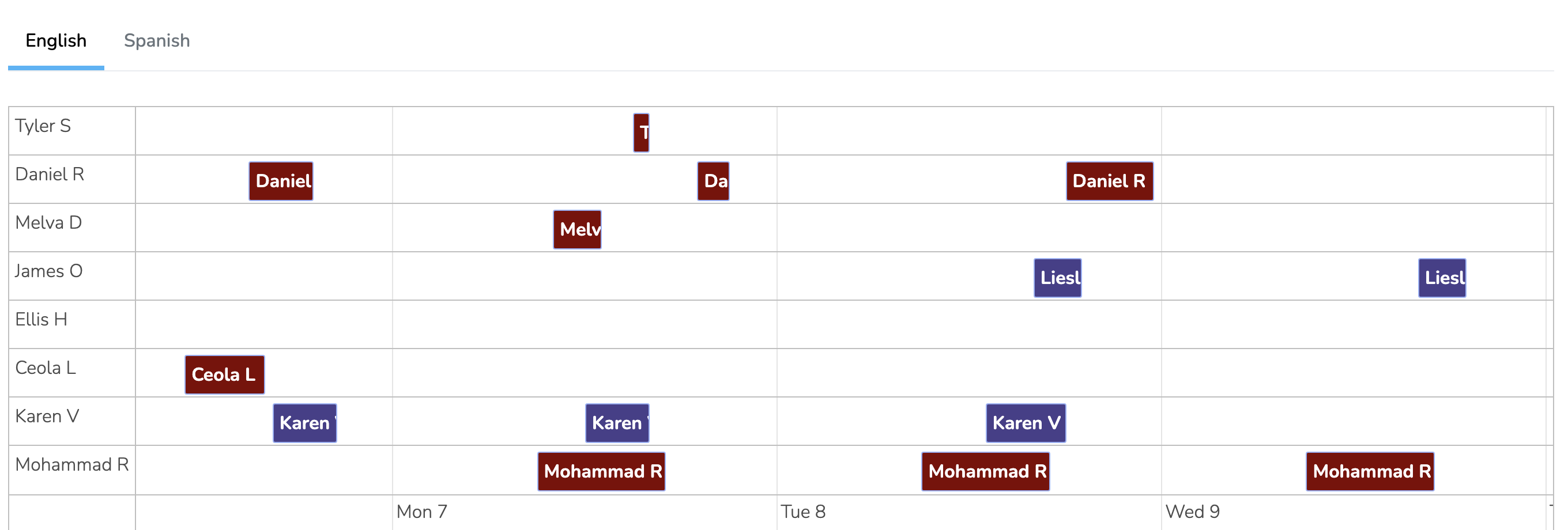
The 'Coverage Graph' tab shows in what hours and in what languages you have active Team Members accepting scheduled calls. It has a tab for each language that your chapters support.
Zoom Integration
Scheduled calls can use Zoom for video calls instead of phone calls. When a supporter schedules a call, Solidarity Tech creates a Zoom meeting with the assigned Team Member's connected Zoom account. The default confirmation and reminder emails to the supporter include the Zoom link.
To use Zoom for scheduled calls:
- Team Members connect their individual Zoom accounts in the 'Availability' screen of the mobile app. See Zoom.
- When you create the Schedule A Call page, choose 'Zoom call' under 'How do calls happen?'. You cannot change it later.
Updated 5 days ago