Demands

Demands allow you to understand the interest your members have in different campaign issues. You can use Demands to constantly survey your membership and gauge in real-time what it is your supporters are ready to fight for. The voting results for all Demands are visible from People > Demands (Standard plan and above).

To create a demand, click 'New demand' on that page. Enter the 'Demand Prompt'. Pick a 'Vote Scale'. Check the 'Scope'. Click 'Add Demand'.

Vote Scales

Support scale

A demand created with a support scale allows People to vote on a demand on a scale from "Don't Support" to "Strongly Support."

1-5 Numerical options

A demand with 1-5 numerical options scale allows People to vote on demands using a custom numerical scale set by the organization, as in the example below.

Ranked-Choice Voting

Oftentimes, only asking supporters to vote on issues individually will give you an incomplete picture of what issues are relatively most important to them. To address this gap, you can ask them to sort the issues they care about most, and read the results via a Ranked Choice Voting tabulation.

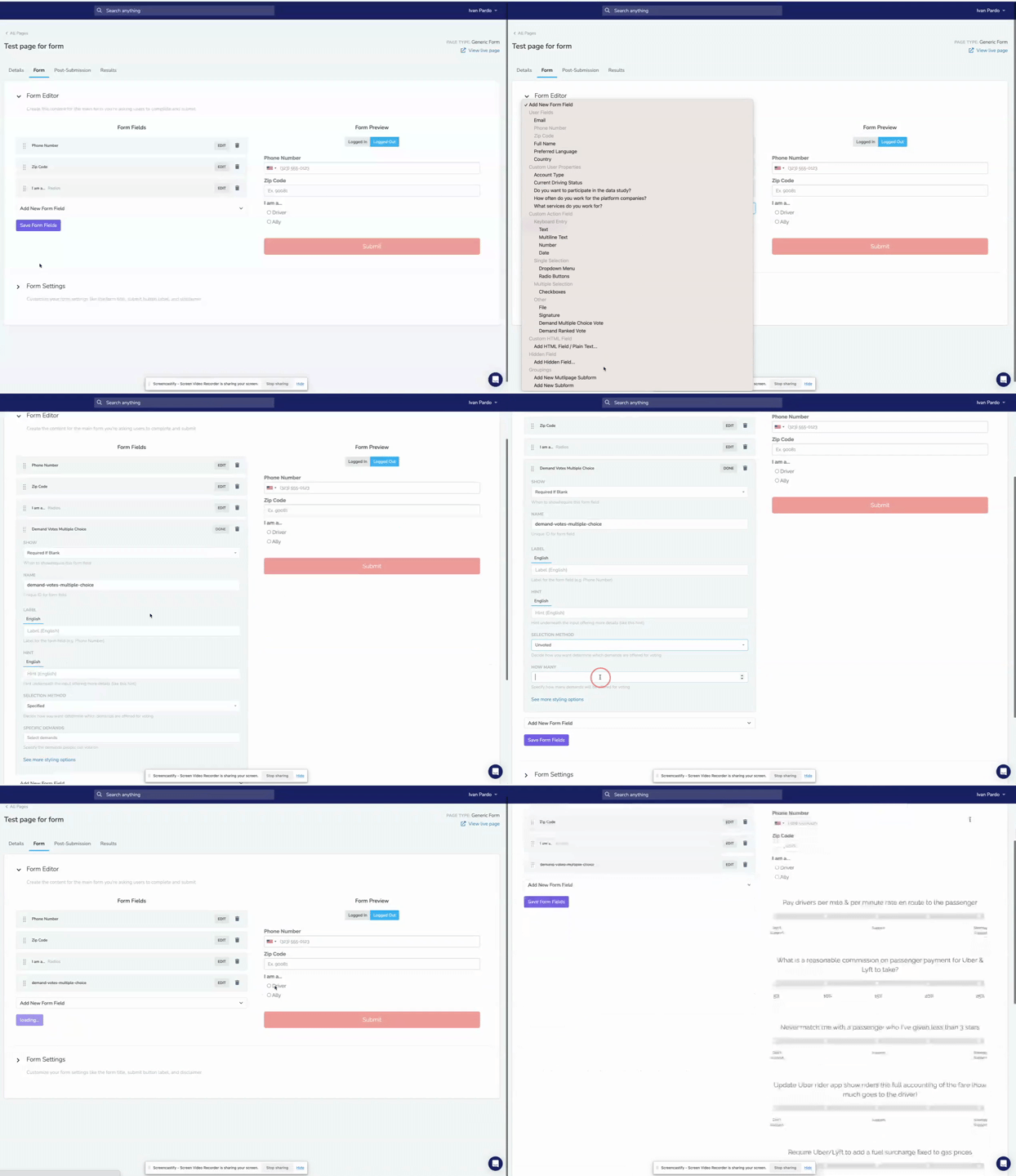
In the page form, pick "Demand Multiple Choice Vote" or "Demand Ranked Choice Vote" from the "Add New Form Field" dropdown. Ranked choice voting allows your supporters sort the issues they care about most.

Adding on a page

To have People vote on your Demands, you must add the Demands into the Form section of a Page. Once you've created a Page, navigate to the Form tab and select the "Add New Form Field" dropdown.

You can add the Demands to vote on, either "Demand Multiple Choice Vote" or "Demand Ranked Choice Vote", alongside any other form fields you'd like to add.


Did this page help you?