
Properties
Every Person record in Solidarity Tech has a group of properties. A Team Member can set them by hand, and form submissions from the Person can update them.
Editable Properties
Team Members and form submissions can edit these properties, among others:
- First Name, Last Name, Full Name, and Alternate Name (a community name, nickname, or alternate romanization, searchable across the dashboard)
- Phone Number, Email Address, and other phone numbers and email addresses
- Date of Birth in YYYY-MM-DD format
- Preferred Language and Secondary Languages
- Tags, Agent Assignment, Chapter, Address, Assessment, and Timezone
- Communication permissions (see Communication Permissions)
Deduced or Auto-Assigned Properties
The system sets these properties from the data it has:
- Age, computed from Date of Birth in whole years
- Phone Number Type (mobile, VoIP, or landline) and Phone Region
- Branch (Professional plan): the branch for each of the person's chapters and organizations, found from the person's location. It is read only.
- Signup Date, Signup Source, and Referring Domain
- Solidarity Tech ID, a system-generated number for the person
- Referred By and Referral Code (see Referrals)
Relationships
The Relationships section of a profile shows how a person connects to other people. A relationship shows on both profiles. For example, you add Person A as "Parent" on Person B's profile. Person A's profile then lists Person B as "Child".
To add a relationship:
- Open the person's profile.
- In the Relationships section, click the "+" button.
- Search for the related person and select the type of relationship.
- Click Create.
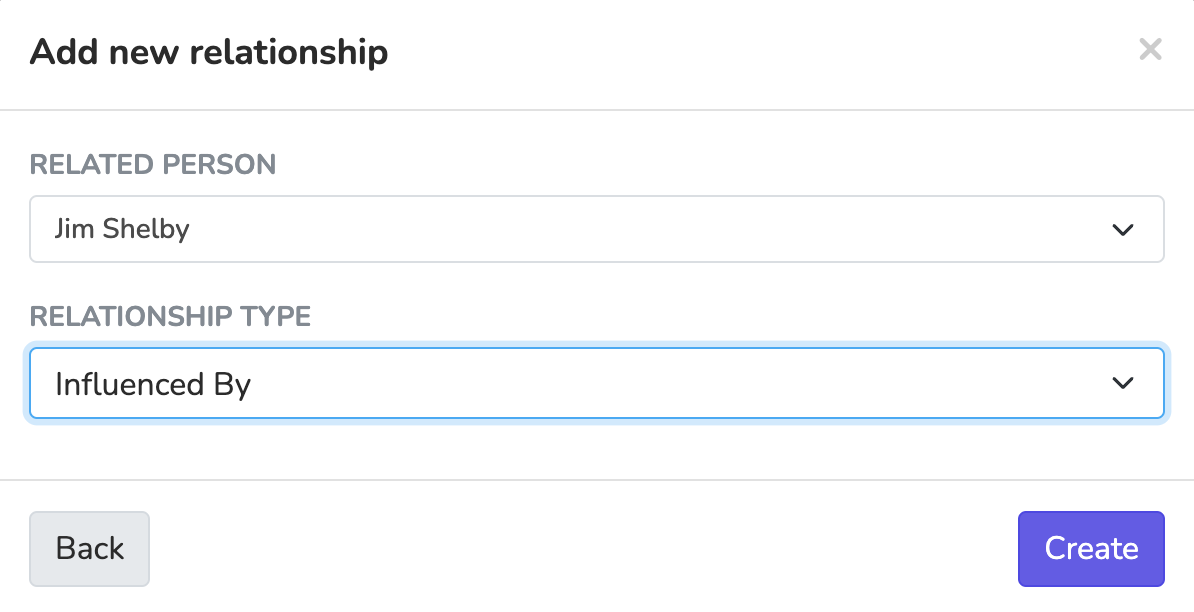
You can review or remove relationships in the same section. You can also filter People by their relationships.
Each organization sets its own types at Settings > Relationship Types. New organizations start with default types such as Friend, Co-worker, Spouse, and Parent. To add a type, enter a 'Label' and an 'Inverse Label', and click 'Add Type'. Leave 'Inverse Label' blank when the relationship reads the same in both directions. You can also rename, reorder, and delete types there.
The Agent Assignment links a person to their assigned agent (see Agent Assignment). The Relationships section also shows who referred the person and how many new people they referred.
Updated 6 days ago