
Team Activity
The Team Activity tab shows the organizing activity of your volunteer and staff Team Members. Click 'Columns' to choose the columns in the table. You can filter the date range and compare the activity to prior periods.
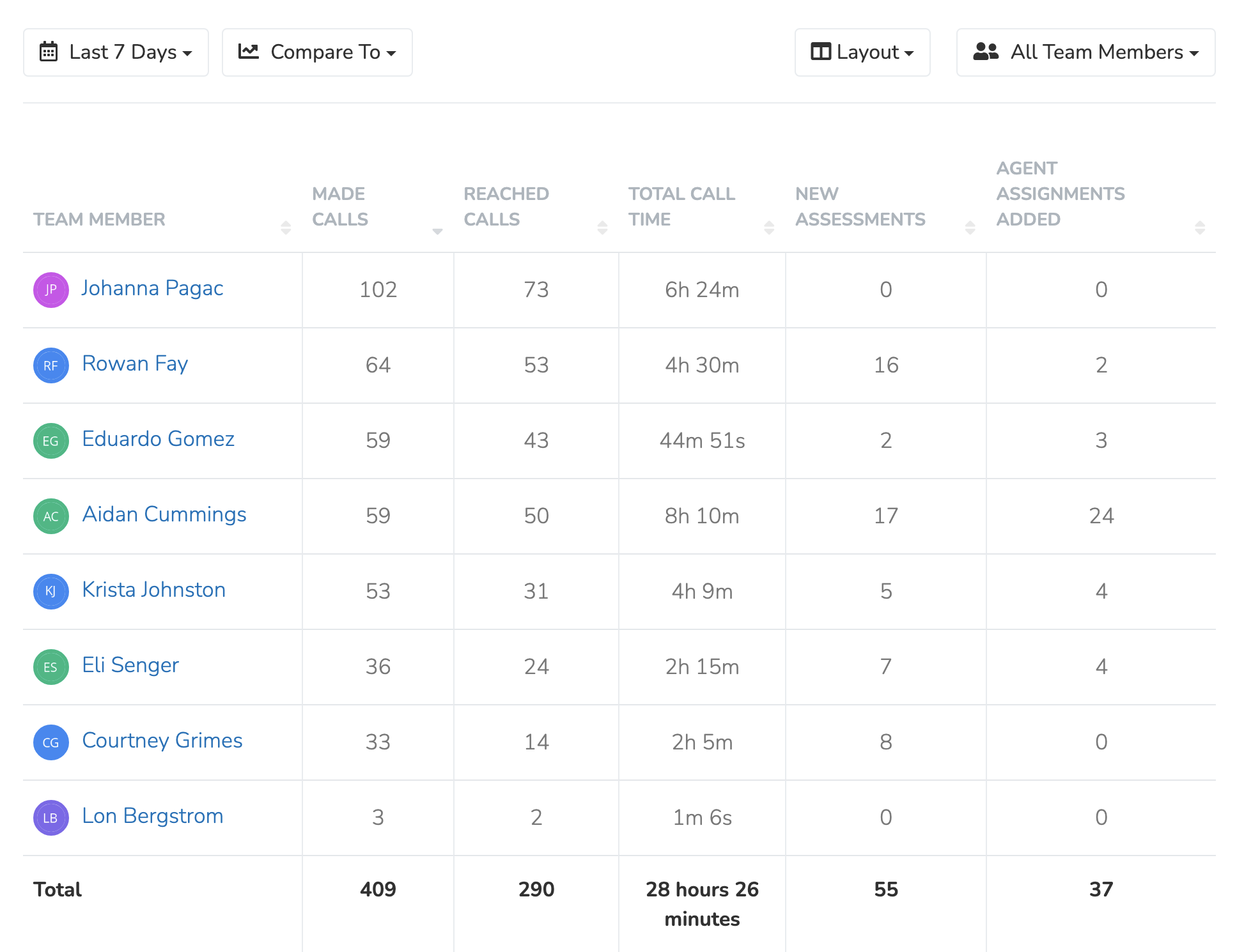
By default, the table shows all Team Members active during the selected period. Use the team selector next to 'Columns' to pick certain Team Members. On the Standard plan or higher, you can also pick Team Member Groups.
Activity by Chapter
Click the "Activity by chapter" button in the top right to see team member activity grouped by the Chapter of the contacts they interacted with.
Updated 18 days ago
Did this page help you?